Follow these instructions to request data deletion for a Facebook Instant Game that you have played.
- On your PC, open Facebook Web and login with your Facebook account
- Open link https://www.facebook.com/settings?tab=applications&ref=settings to open the Facebook Settings for Apps and websites:
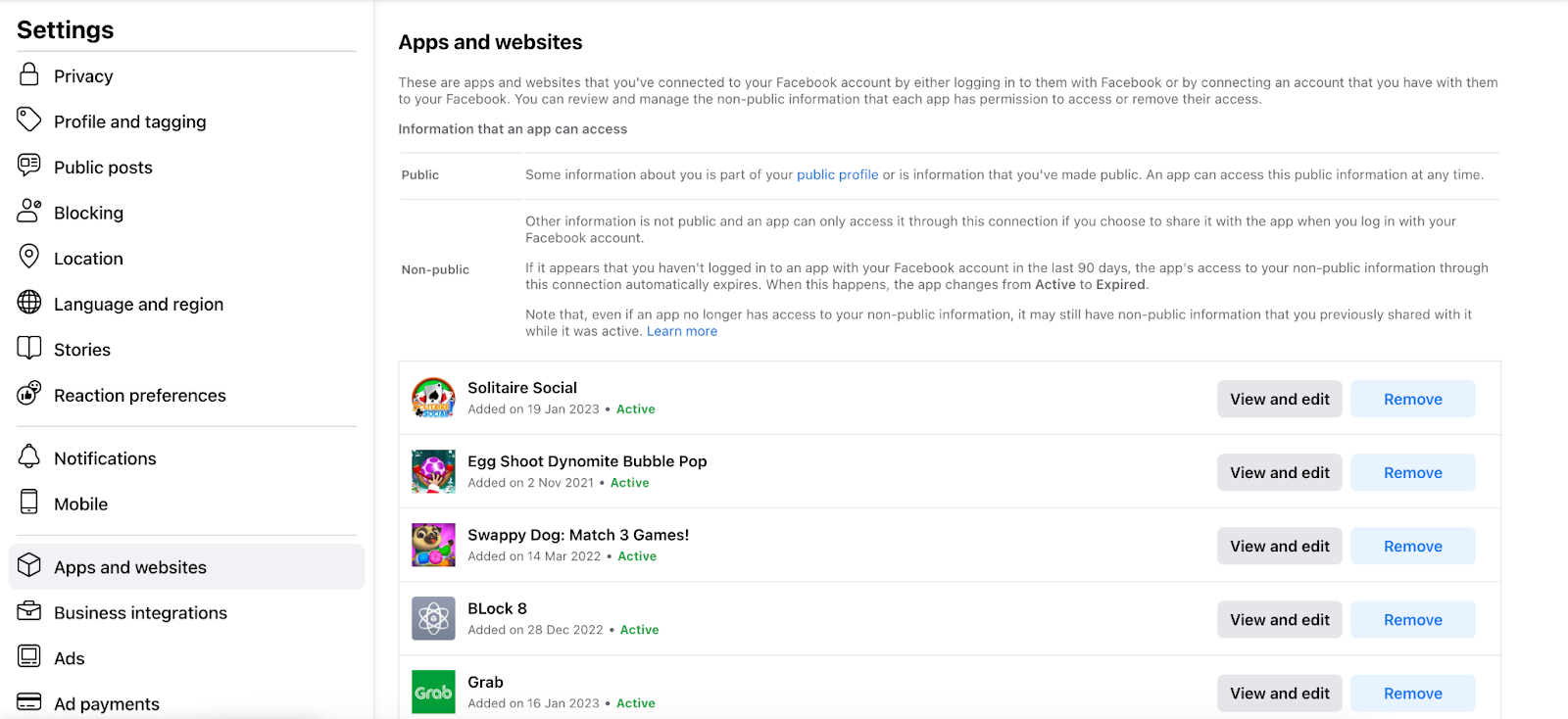
- In the list on the right, find the game you want to request data deletion (you might need to click on See More button at the bottom of the list to look for the game)
- After finding the game, click on the Remove button on the right side of that game. A popup “Remove <Name of the game>?” will appear like below:
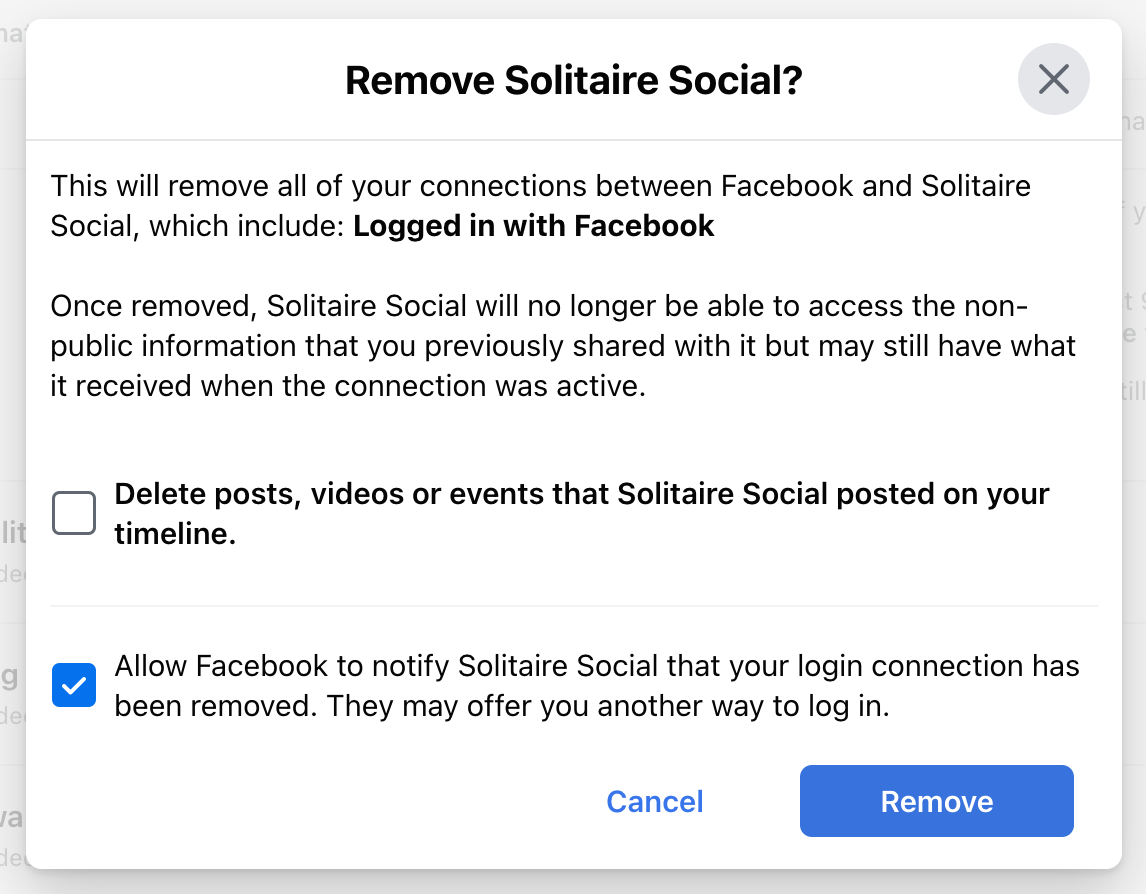
- Besure that the checkbox “Allow Facebook to notify <Name of the game> that your login connection has been removed. They may offer you another way to log in.” is ticked then click Remove button
- After this, Facebook will send a request with your app-scope id to our server and we will perform the deletion for your data automatically.